
- Digital Incoming Mail Processing
Scan, Recognize and Archive Paper Documents Directly into ecoDMS
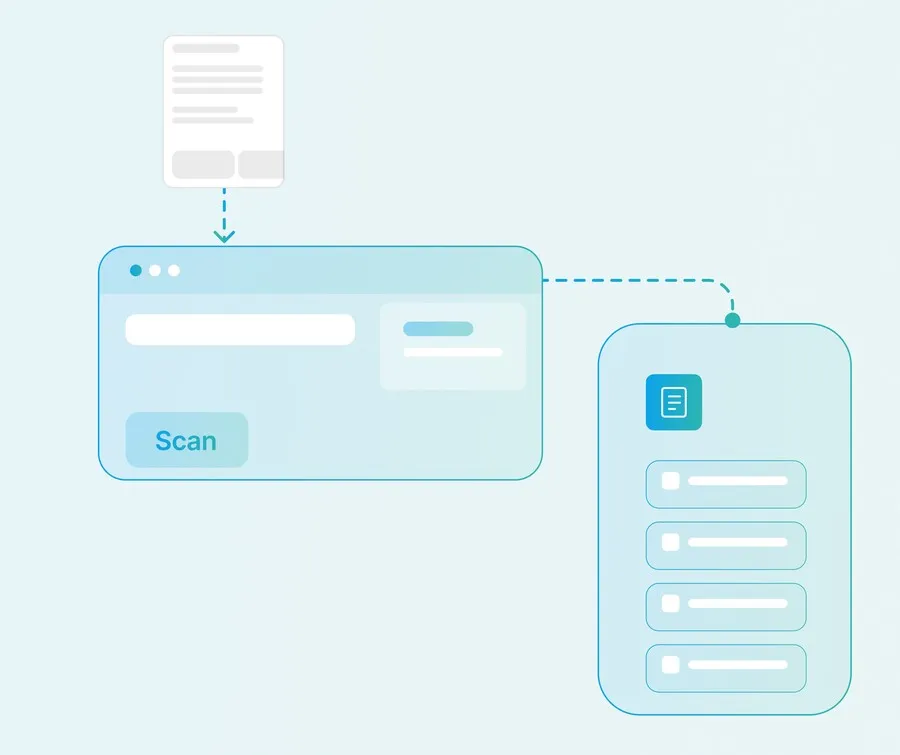
ecoDMS offers smart ways for your paper documents: direct scanning into the ecoDMS inbox, automatic import from the network scanner via the Scaninput folder, or mobile capture using the AI-powered ScanApp. For selected devices, there is even a seamless direct archiving feature in one step.
- Three Ways into the Archive
The Right Scan Workflow for Every Situation
Depending on whether you want to capture individual documents in the office, process large volumes in batches, or digitize receipts on the go – ecoDMS offers the right way for your paper.
-
ecoDMS Inbox
Flexible direct scanning: Scan documents via TWAIN/WIA/SANE interface directly into your inbox. Here you can flexibly check, rotate, or sort pages. The subsequent classification is done manually or semi-automatically via clever templates directly in a single window.
-
Scaninput Folder
Automated batch processing: Your network scanner places the documents in the Scaninput folder, and ecoDMS imports them automatically in the background. The highlight: Simply place ecoDMS separator sheets between the documents – the system splits the entire paper stack fully automatically into individual files.
-
Mobile ScanApp
AI-powered capture on the go: Capture receipts, contracts, or invoices lightning-fast via smartphone camera. The integrated AI automatically ensures the perfect crop and transfers the document directly into your ecoDMS inbox for further processing.
- Your Advantages
Every Scan Automatically Becomes a Full Archive Document
-
Flexible Scanner Connection
ecoDMS seamlessly integrates your existing hardware – from modern network scanners via Scan-to-Folder to classic USB document scanners via TWAIN, WIA, or SANE.
-
Lightning-Fast Batch Scanning
Scan large volumes of mail in one go: Using ecoDMS separator sheets, the system automatically splits the paper stack into separate files.
-
Smart Dark Processing
ecoDMS recognizes documents by layout or Keywords and automatically reads invoice data via OCR – manually in the inbox or fully automatically via the Scaninput folder.
-
Immediately Searchable
Due to the automatic OCR text recognition in the background, every document is full-text indexed. Find documents lightning-fast using any keywords in the text.
-
Audit-Proof According to GoBD
Scanned documents are stored unalterably, versioned, and in the legally compliant PDF/A format. This provides optimal support for meeting all requirements.
-
No Additional Costs
The entire incoming mail processing – including scanner connection, ScanApp, inbox, OCR recognition, and separator sheet feature – is included in the standard scope at no extra charge.
Direct Archiving via the Epson DS-900WN Interface from the Network Scanner
Direct Archiving Via Your Epson Network Scanner
A dedicated application has been developed for the Epson DS-900WN network scanner, combining scanning and archiving in a single step. Documents are captured directly via the scanner interface and transferred to ecoDMS. The system automatically recognizes Classification Templates and reads data such as invoice numbers independently.